
DSC Failure on MCA Portal: Causes & Fixes Guide
The Ministry of Corporate Affairs (MCA) portal is the backbone of corporate compliance in India. From company incorporation and annual filings to LLP compliance and director-related filings, everything hinges on one crucial element: the Digital Signature Certificate (DSC).
Yet, one of the most common and frustrating issues faced by professionals, directors, and companies is DSC failure on the MCA portal.
You upload the form, click “Sign,” and suddenly:
- The DSC is not detected
- An error message appears
- The system freezes or crashes
- The form refuses to submit
This blog explores why your DSC fails on the MCA portal, explains technical, legal, and system-related causes, and provides practical solutions and preventive tips to help you avoid costly delays and last-minute panic.
Understanding DSC and Its Role on the MCA Portal
A Digital Signature Certificate (DSC) is an electronic signature issued by a Certifying Authority (CA) licensed by the Controller of Certifying Authorities (CCA), Government of India.
On the MCA portal, a DSC is mandatory for:
- Directors
- Designated Partners
- Practicing Professionals (CA, CS, CMA)
- Authorized Signatories
DSCs ensure:
- Authenticity of the signer
- Data integrity
- Non-repudiation
Without a valid and functional DSC, MCA filings are legally invalid.
Common Error Messages When DSC Fails
Before diving into reasons, let’s look at typical error messages users face:
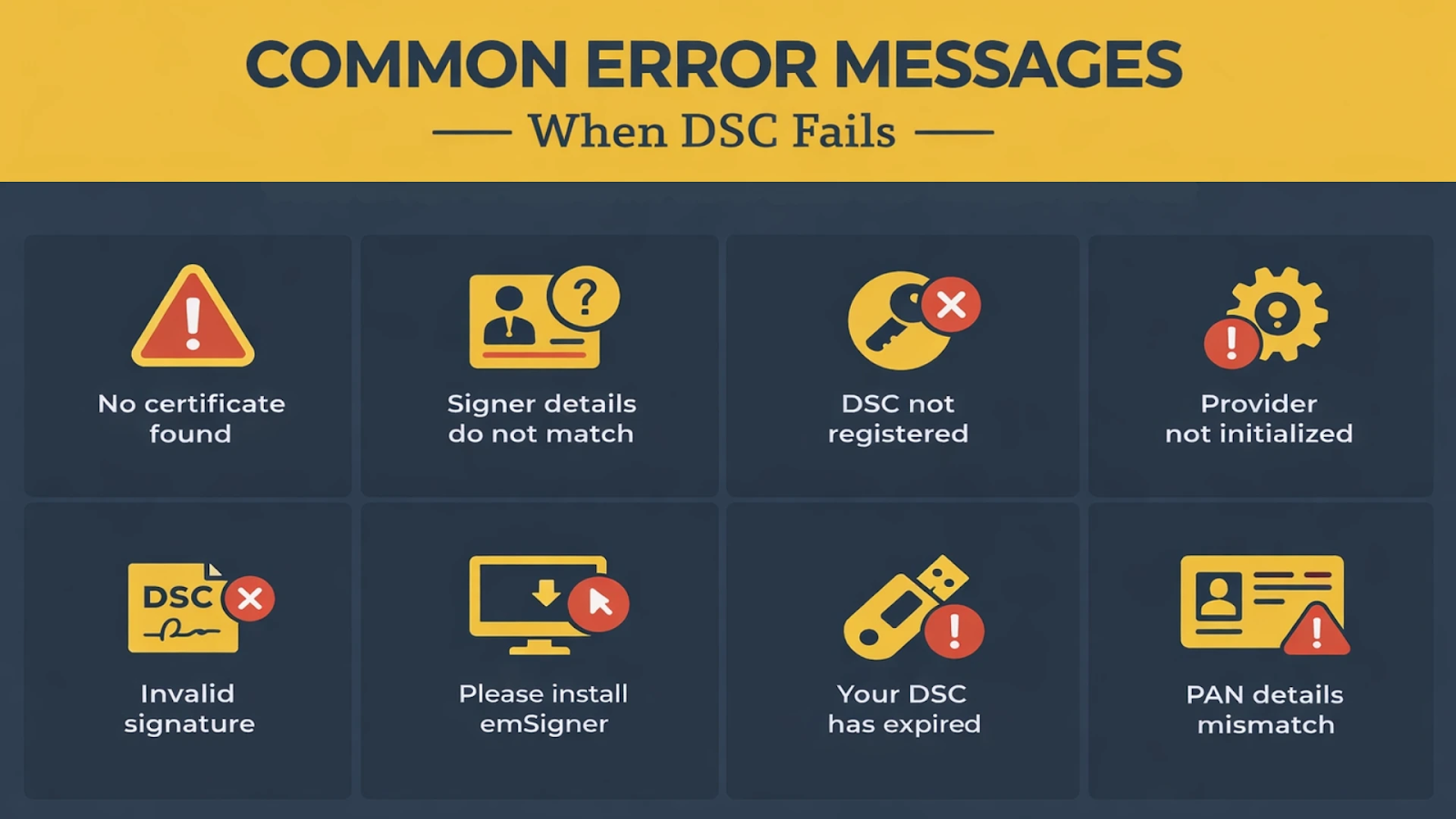
- “No certificate found”
- “Signer details do not match”
- “DSC not registered”
- “Provider not initialized”
- “Invalid signature”
- “Please install emSigner”
- “Your DSC has expired”
- “PAN details mismatch”
Each of these errors points to a specific underlying issue.
Major Reasons Why Your DSC Fails on the MCA Portal
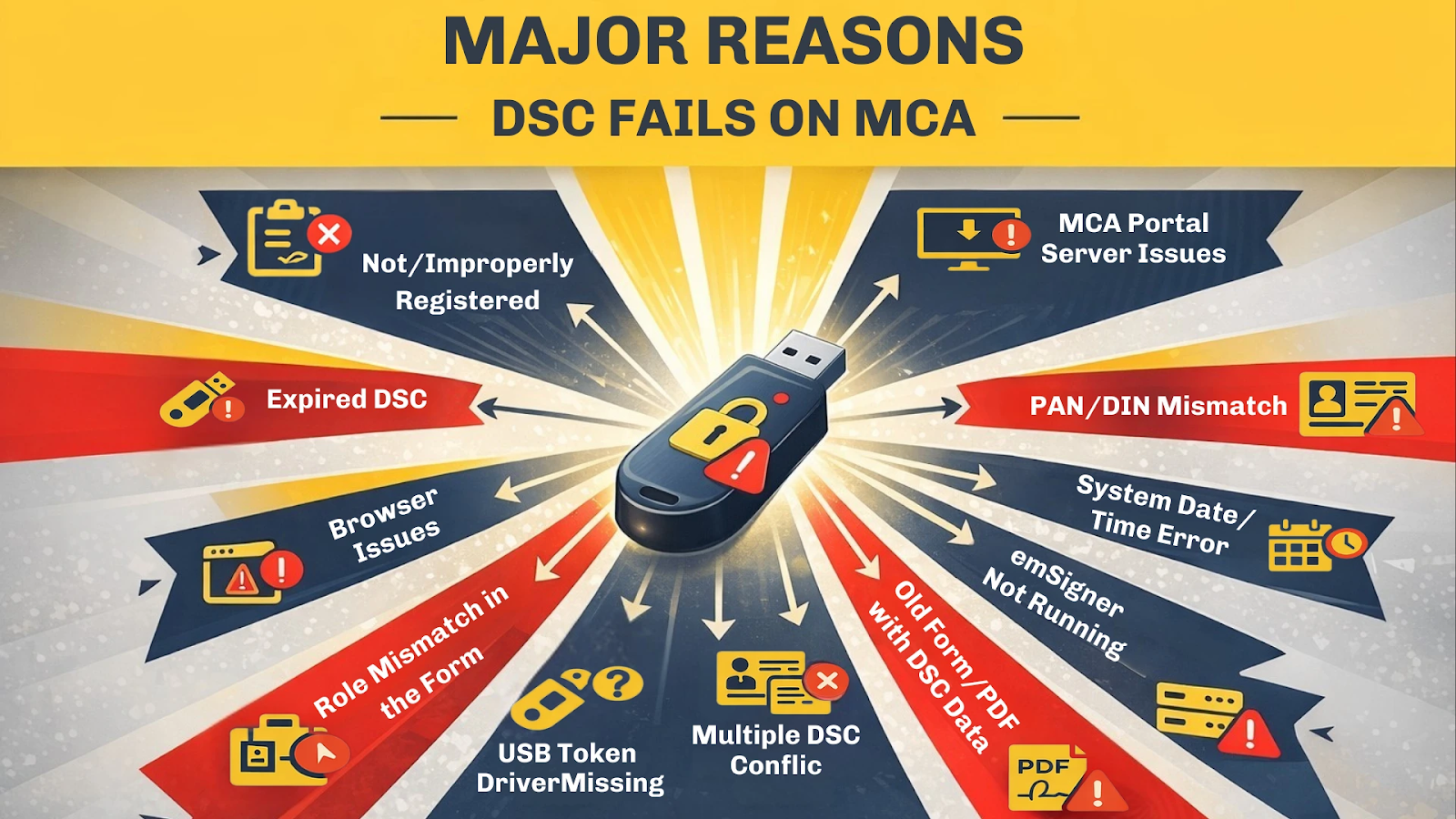
1. DSC Not Registered or Improperly Registered on MCA
Why it happens:
Before using a DSC, it must be registered on the MCA portal and linked to:
- Director Identification Number (DIN), or
- Professional Membership Number
If registration is skipped or done incorrectly, the system will reject the DSC.
Common mistakes:
- Registering DSC with the wrong DIN
- Using someone else’s DSC
- Not updating DSC after renewal
Solution:
- Log in to MCA → “Associate DSC”
- Verify name, DIN/PAN, and email
- Re-register after every renewal
2. DSC Has Expired or Is Near Expiry
Why it happens:
DSCs are typically valid for 1 or 2 years. An expired DSC cannot be used for any filing.
Hidden problem:
Even if the DSC is valid today, filings done on the expiry date may fail due to time-zone validation issues.
Solution:
- Check validity in DSC Management Utility
- Renew at least 7–10 days before expiry
- Re-register renewed DSC on MCA
3. PAN or DIN Mismatch with DSC Data
Why it happens:
The PAN/DIN embedded in the DSC must exactly match MCA records.
Common mismatch scenarios:
- Name spelling differences
- Change in surname after marriage
- Incorrect PAN mapping during DSC issuance
- DIN deactivated or surrendered
Solution:
- Verify DSC details using the CA utility
- Ensure MCA master data matches DSC
- Update PAN/DIN records before re-registering DSC
4. emSigner Not Installed or Not Running Properly
The MCA portal now requires emSigner, a local application that enables browser–DSC communication.
Why DSC fails:
- emSigner not installed
- emSigner not running in the background
- Firewall or antivirus blocking emSigner
- Wrong version installed
Solution:
- Download emSigner only from MCA portal
- Run as Administrator
- Allow emSigner in firewall and antivirus
- Restart system after installation
5. Browser Compatibility Issues
Why it happens:
The MCA portal works best with:
- Google Chrome
- Microsoft Edge (Chromium-based)
Using unsupported browsers or outdated versions leads to DSC detection failures.
Common issues:
- Java-based legacy browsers
- Incognito mode blocking extensions
- Cache and cookie conflicts
Solution:
- Use latest Chrome or Edge
- Disable pop-up blockers
- Clear cache and cookies
- Avoid Incognito mode
6. USB Token Driver Issues
Your DSC is stored in a USB token, and it needs proper drivers to function.
Why it fails:
- Token driver not installed
- Outdated driver
- Token not detected by system
- Multiple tokens plugged in simultaneously
Solution:
- Install latest token driver from vendor site
- Plug in only one token at a time
- Try different USB ports
- Avoid USB hubs
7. Multiple DSCs Causing Conflict
If more than one DSC is installed on your system (for example, professional and director DSCs), the MCA portal may pick the wrong one.
Result:
- “Signer details mismatch”
- “Invalid certificate”
Solution:
- Remove unused DSCs from browser
- Use token management utility to disable others
- Select DSC manually during signing
8. Incompatible Form or Old PDF Version
Why it happens:
MCA forms must be:
- Downloaded fresh from the portal
- Opened using Adobe Acrobat Reader
Old forms or third-party PDF readers often fail during signing.
Solution:
- Always download the latest form
- Use Adobe Reader (not browser PDF viewer)
- Enable JavaScript in Adobe settings
9. System Date and Time Errors
This is an often-overlooked issue.
Why it matters:
DSC validation depends on system date and time. Even a small mismatch can cause signing failure.
Solution:
- Sync system time with internet
- Set correct time zone (IST)
- Restart system after correction
10. Role Mismatch in the Form
Why it happens:
The DSC must match the role selected in the form, such as:
- Director
- Manager
- Authorized Representative
- Professional
Using a director DSC in a professional certification field will fail.
Solution:
- Double-check role selection
- Ensure correct DSC is used for each section
11. MCA Portal Server or Technical Issues
Sometimes, the problem isn’t you.
Common MCA-side issues:
- Server downtime
- Maintenance windows
- High traffic during due dates
- emSigner service issues
Solution:
- Try filing during non-peak hours
- Check MCA announcements
- Retry after some time
Preventive Best Practices to Avoid DSC Failure
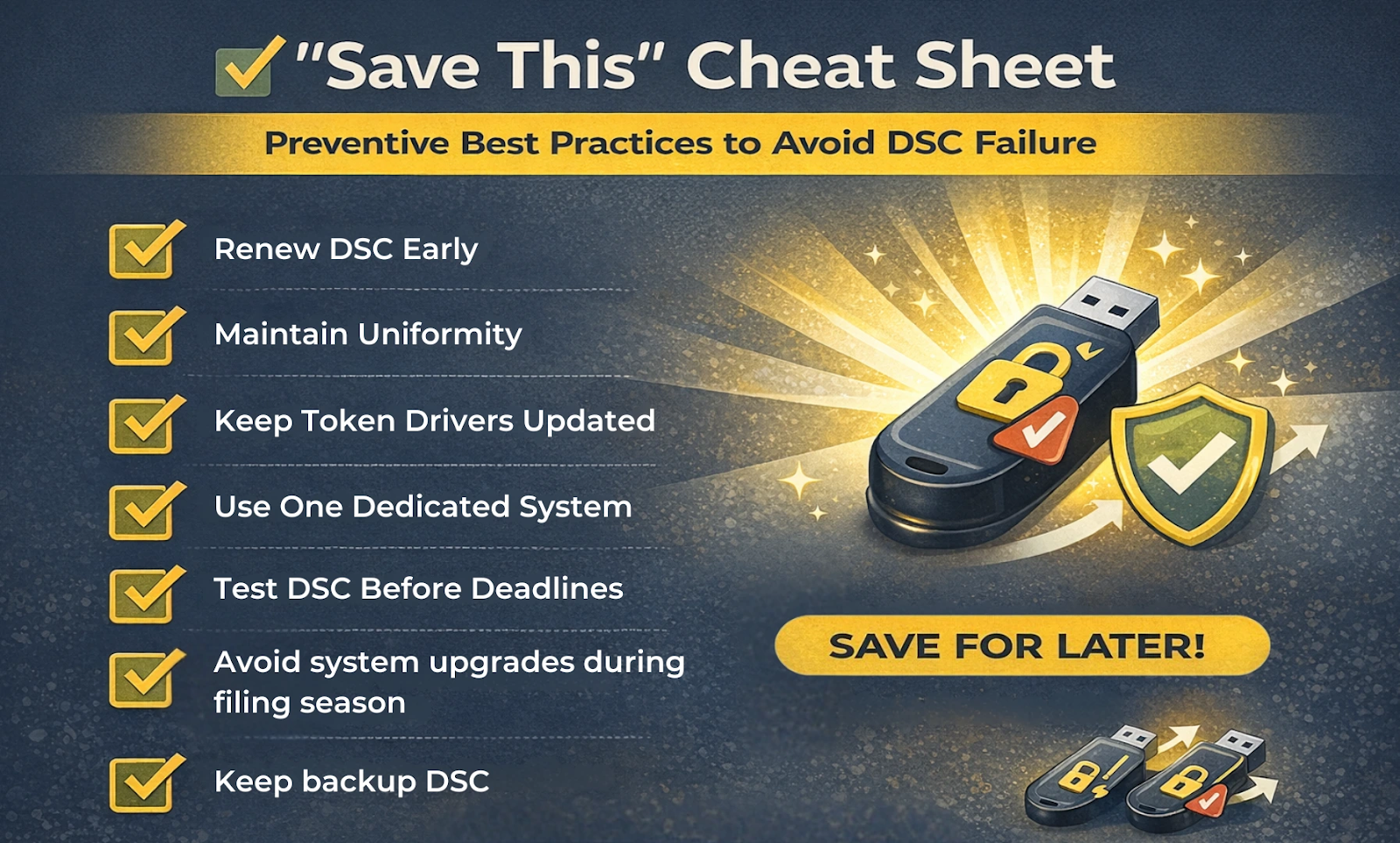
To avoid last-minute DSC issues, follow these expert tips:
- Renew DSC early and re-register immediately
- Maintain uniformity in PAN, DIN, and name spellings
- Keep token drivers updated
- Use one dedicated system for MCA filings
- Test DSC before important deadlines
- Avoid system upgrades during filing season
- Keep backup DSC for professionals
Impact of DSC Failure on Compliance
DSC failure can lead to:
- Missed statutory deadlines
- Late fees and penalties
- Disqualification of directors
- Loss of professional credibility
- Client dissatisfaction
In high-stakes filings like:
- AOC-4
- MGT-7
- INC-22A
- PAS-3
- DIR-3 KYC
Even a small delay can have major financial and legal consequences.
When to Seek Professional Help
If you have:
- Repeated DSC errors
- Complex DIN or PAN mismatches
- MCA system conflicts
- Urgent filings with looming deadlines
It’s advisable to consult:
- Company Secretaries
- Chartered Accountants
- MCA compliance experts
Professional intervention often saves time, money, and stress.
Conclusion
A DSC failure on the MCA portal is not just a technical glitch, it is a compliance risk. Most DSC issues arise due to small oversights, outdated systems, or mismatched data.
By understanding the root causes, staying proactive with renewals and registrations, and following best practices, you can ensure smooth, error-free MCA filings.
In the digital compliance era, a properly functioning DSC is as important as the filing itself. Treat it as a critical compliance asset, not just a USB token.
Contact Us
An expert will call you within 24 hours. No payment required to get started.
6.png) How to Claim a TDS Refund: Step-by-Step Guide
5 minutes read
How to Claim a TDS Refund: Step-by-Step Guide
5 minutes read
6.png) DIR-3 KYC Compliance: A Director's Guide to Avoiding Disqualification
5 minutes read
DIR-3 KYC Compliance: A Director's Guide to Avoiding Disqualification
5 minutes read
2.png) ITR Filing Last Date September 2026: The Founder's Guide to Tax Audits & Belated Returns
5 minutes read
ITR Filing Last Date September 2026: The Founder's Guide to Tax Audits & Belated Returns
5 minutes read
4.png) Register For ESI & PF Now Or Face Employer Penalties On Every Payroll!
5 minutes read
Register For ESI & PF Now Or Face Employer Penalties On Every Payroll!
5 minutes read
Have a question about this?
Our team can walk you through what applies to your business and what to do next.
Talk to our teamRelated posts
How to Obtain a Company Registration Number in India
Understanding Corporate Identification Numbers (CINs) and How to Obtain Them in India
. 2 mins.png)
Difference between Udyog Adhaar and Udyam Certificate
Want to get registered for Udyog Aadhar and Udyam Certificate? Here is their registration processes. Also, know about their differences. Explore their features, benefits, and processes to register online for each, helping you to choose the right option as per your need.
. 3 min read.png)
Changing Your Bank Signatory? Here are the Y Documents Required by Most Banks in India
Learn how bank signatory is important for financial workflow. Know why bank signatories are important and discover the documents required to change signature of your signatory.
. 5 min readEverything right at your mail.
Request a Call Back
Leave your details and Divya from Filing Buddy will call you from +91 788 008 1056.
Prefer to call now? 📞 +91 788 008 1056
Chat with us on WhatsApp
Hi there! 👋 Connect with our team on WhatsApp.
Hello FilingBuddy, I would like to know more about your services.
Chat Now